

synthrilla froggie sf 60 plugin
Synthrilla Froggie SF-60 - Casio MT-60 Emulator Plugin
SYNTHRILLA

Froggie SF-60 v2.3

The Casio MT-60 reborn as a modern instrument

VST3 AU macOS Windows Standalone

One-time purchase · 2 activations · Free updates
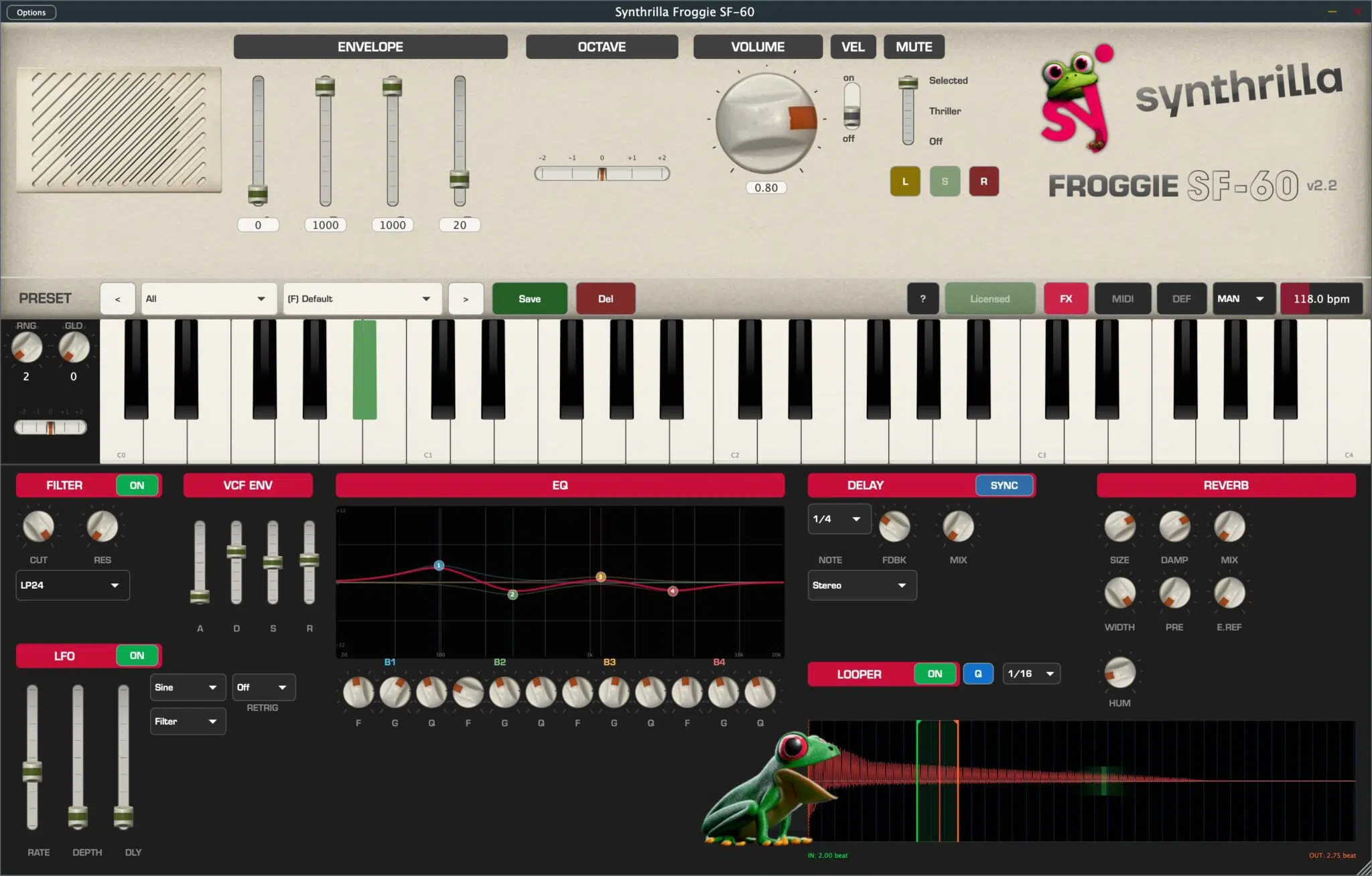
Synthrilla Froggie SF-60 - Plugin Screenshot

Feature Highlights

49 Original Samples

Every note chromatically sampled from a real Casio MT-60. C0 through C4, no synthesis, no emulation.

6 FX Engines

Polyphonic VCF filter, 4-band EQ, multi-mode delay, Dattorro reverb, LFO, and pitchbend.

32-Voice Polyphony

Play rich chords and layered sounds. Each voice has independent filter, LFO, and envelope.

🎧

MIDI Learn

Map any hardware controller to any parameter. ModWheel (CC1) controls LFO depth by default.

Looper & Waveform

Define loop regions within samples. Zoomable waveform display (1x–50x) with color-cycling visualization.

🎶

10+ Presets

Factory presets in 8 categories. Create, save, and organize your own with descriptions and tooltips.

See It In Action

Watch the SF-60 in action — from the iconic Thriller bass to ambient soundscapes.

Signal Flow

The SF-60's audio engine processes your sound through a professional-grade signal chain:

MIDI In
Synth Engine
VCF Filter
4-Band EQ
Delay
Reverb
Output

All effects are individually toggleable and fully automatable via MIDI Learn.

How It Works

Explore every feature of the SF-60 — from basic controls to advanced sound design. Click any section to expand.
SF-60 Main Controls

The main panel gives you direct access to the core sound-shaping parameters: ADSR envelope, octave transposition, velocity response, and master volume.

ADSR Envelope

Four vertical sliders shape each note's volume over time:

ParameterRangeDescription
Attack0 – 1000Fade-in time. 0 = instant, max = ~4 seconds.
Decay0 – 1000Fall from peak to sustain level, up to ~12 seconds.
Sustain0 – 1000Volume while key is held. 1000 = full volume.
Release0 – 1000Fade-out after key release, up to ~12 seconds.
TIP

For authentic MT-60 sound: A=0, D=0, S=1000, R=~100. For pads: A=400, D=600, S=700, R=500.

Octave Transpose

Shifts pitch in semitone steps from -2 to +2. Selects different samples from the chromatic set, keeping tonal character intact.

Velocity

  • ON — Volume responds to key velocity for expressive playing.
  • OFF — All notes at full volume, like the original MT-60.

Mute Mode lets you selectively silence keys, opening up creative performance techniques like the famous Thriller outro.

OFF Normal Mode

All 49 keys active. Default state.

THR Thriller Mode

Only C#0 produces sound — the exact note used in the outro of Michael Jackson's "Thriller". All other keys muted.

PRO TIP

The original MT-60 had no effects at all. With the SF-60, you can apply EQ shaping and a light plate reverb directly in the plugin to get closer to the final “Thriller” mix — no DAW signal chain needed.

SEL Selected Mode

Define your own muted keys: L (Learn) → click keys to mark → S (Set) to confirm → R (Reset) to clear.
SF-60 Filter SF-60 EQ

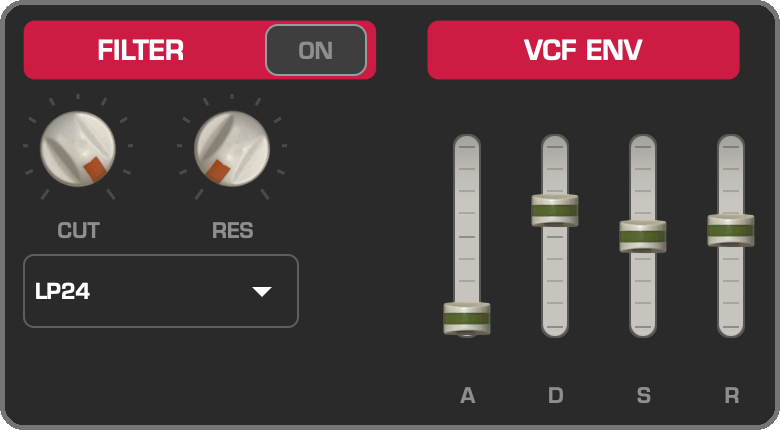
Polyphonic VCF Filter

True polyphonic filtering — each voice processed independently. 6 filter modes: LP12, LP24, HP12, HP24, BP12, BP24.

Controls: CUT (cutoff), RES (resonance), AMT (envelope amount). The filter envelope uses Roland-style exponential modulation covering ±4 octaves.

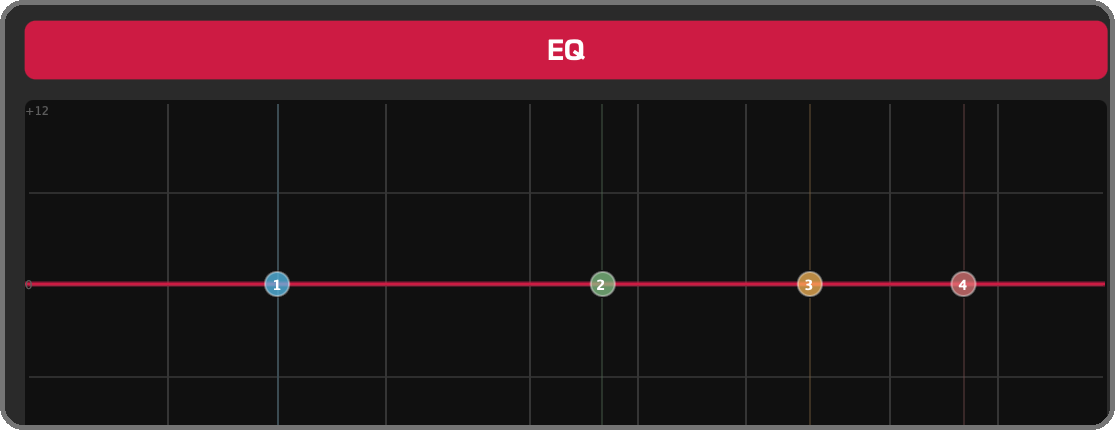
4-Band Parametric EQ

Interactive frequency curve with draggable control points. Drag horizontally for frequency, vertically for gain, scroll wheel for Q factor (0.1–10.0).
SF-60 Delay SF-60 Reverb

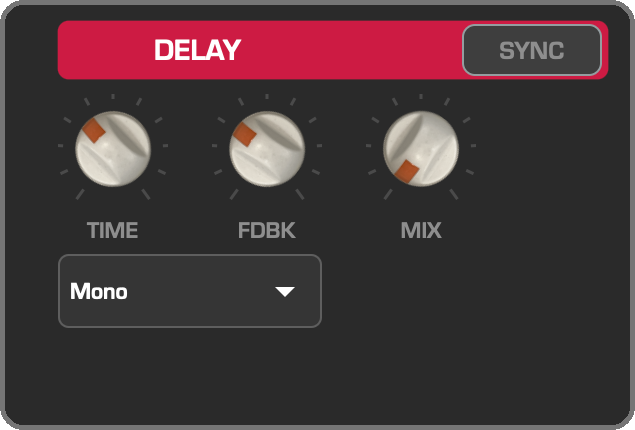
Multi-Mode Delay

6 delay modes for every creative need:

ModeDescription
MonoClassic single-tap delay
StereoL/R with 12% time offset (Haas effect)
Ping-PongAlternating left-right bounces
RandomPan changes per repeat for organic movement
ParadiddleLRLL RLRR drum rudiment pattern
TripletTriplet-feel rhythmic delays

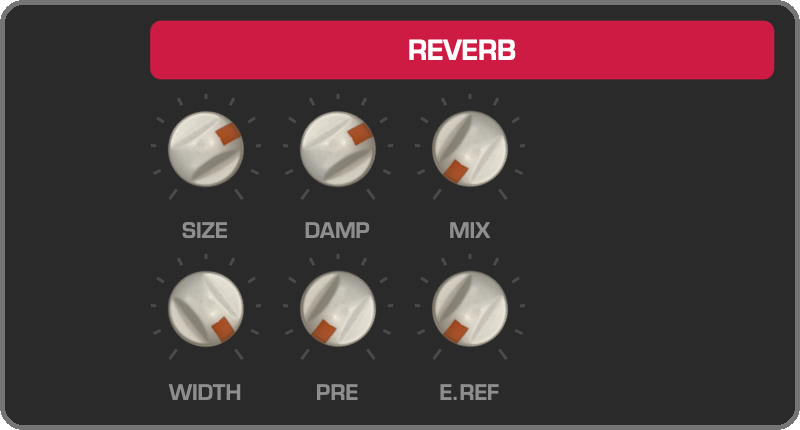
Dattorro Plate Reverb

High-quality plate reverb with 4 input diffusion allpasses, cross-coupled tank, and multi-tap stereo output. Controls: Size, Damping, Mix, Width, Pre-delay, Early Reflections.

Pitchbend & Glide

SF-60 Keyboard and Pitchbend

Per-voice pitchbend with Lagrange 3rd-order interpolation. Range: 0–12 semitones, spring-to-center. Polyphonic glide/portamento: 0–100ms.
SF-60 LFO

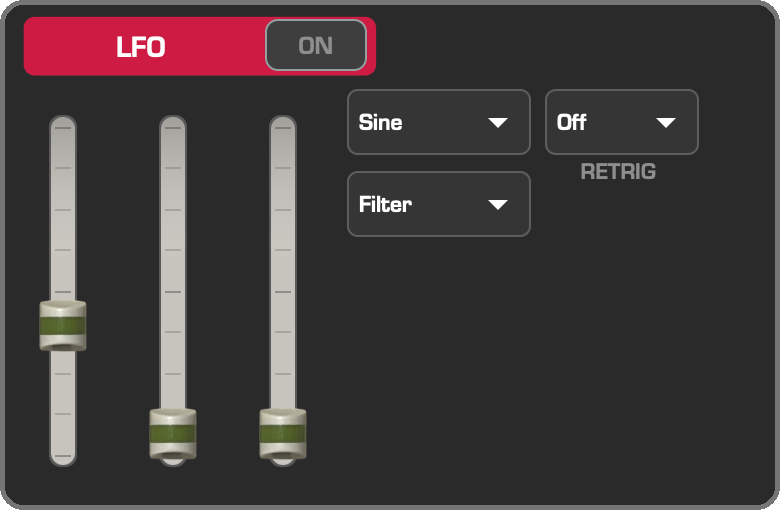
A per-voice Low Frequency Oscillator with delayed onset for expressive modulation.

ParameterRangeDescription
Rate0.1 – 20 HzLFO speed
Depth0 – 100%Intensity (also via ModWheel CC1)
Delay0 – 2000 msDelayed onset with 50ms fade-in
Wave4 typesSine, Triangle, Square, Sample & Hold
Target3 targetsFilter cutoff, Volume, or Pitch
RetriggerOff / On / BiFree-running, restart, or alternating
TIP

For classic vibrato: Target=Pitch, Wave=Sine, Rate ~5Hz, Depth ~30%, Delay ~300ms.
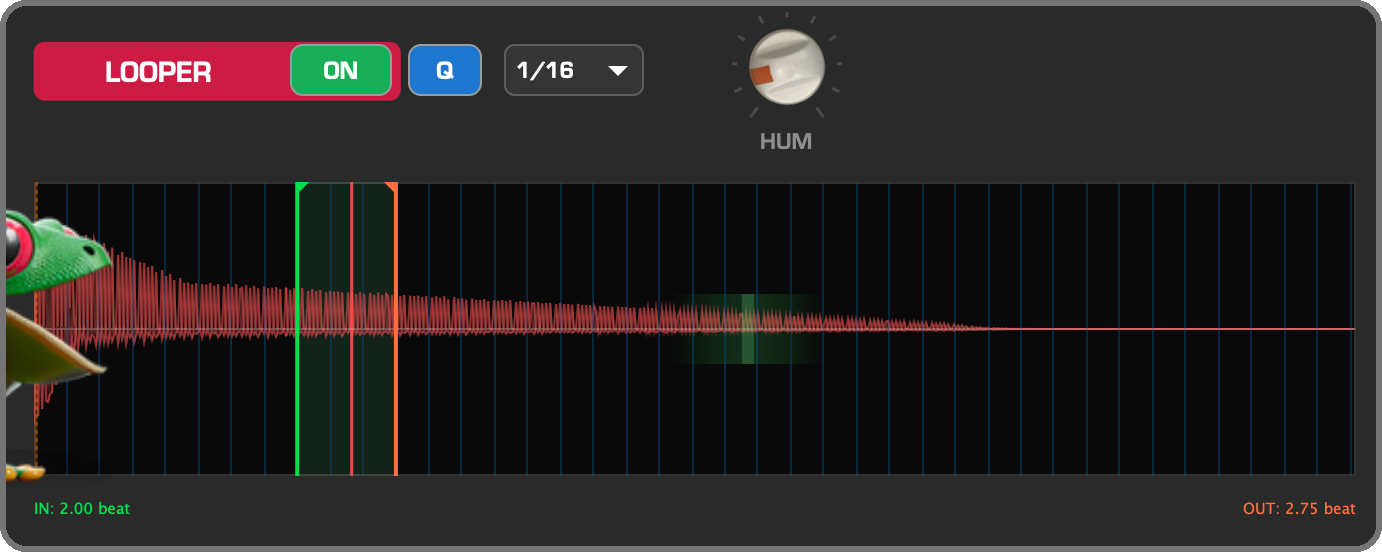
SF-60 Looper and Waveform

Waveform Display

Color-cycling gradient fill with 12-step rainbow cycle. Mouse wheel zoom (1x–50x), scrollbar navigation, double-click to reset.

Loop Points

  • Green marker — Loop start point
  • Orange marker — Loop end point

Drag markers to adjust. Hold Shift for 10x precision. Markers are zoom-aware for sample-accurate positioning.

HUM — Trigger Humanize

The HUM knob adds a random delay to the start of each note, making timing feel more natural and less machine-like. At 0 ms every note triggers on the exact grid; higher values introduce subtle timing drift per voice.

ParameterRangeDescription
HUM0 – 100 msMaximum random onset delay per voice. 0 = perfectly quantized, higher values = looser, more organic timing.
TIP

For subtle humanization, try 3–8 ms. For a clearly audible strum-like effect on chords, push it to 30–60 ms.

CREATIVE USE

Set very short loop regions (a few ms) to create drone textures. Combined with filter and LFO, create evolving ambient soundscapes.

SF-60 Preset Bar

50+ factory presets organized in 8 categories with full save/overwrite workflow.

  • Category dropdown — Browse 8 categories
  • Preset dropdown — Select presets within category
  • Arrow buttons — Step through presets
  • Save — Name, category, description (max 320 chars)
  • Tooltips — Hover for name, category, and description

Factory presets are prefixed with (F), custom with (C).

MIDI Learn Workflow

Click MIDI button Activates learn mode, all mappable controls highlight.
Click a knob or slider Sets it as the mapping target.
Move your controller CC number is captured and mapped automatically.
Click MIDI again Exit learn mode. Mapping is saved with your DAW session.
DEFAULT

CC1 (Mod Wheel) → LFO Depth is always active and cannot be overridden.

Keyboard Shortcuts

ShortcutAction
Shift+FMark preset as Factory
Shift+CMark preset as Custom
EscClose dialog/overlay
EnterConfirm dialog
Double-click waveformReset zoom to 1x
Shift+Drag markerFine-adjust loop point (10x)

System Requirements

macOS
macOS 10.13+ (Universal Binary: Intel & Apple Silicon)
Windows
Windows 10+ (64-bit)
Plugin Formats
VST3, AU (Audio Unit), Standalone
DAW Compatibility
Cubase, Logic Pro, Ableton, FL Studio, Reaper, Studio One, Bitwig

Frequently Asked Questions

The SF-60 is a faithful recreation of the 1981 Casio Casiotone MT-60, one of the first affordable home keyboards. Every single note from C0 through C4 has been individually sampled from a carefully maintained original unit, preserving the characteristic lo-fi sound and charm that made this instrument iconic in music history.

Yes! The Casio MT-60 is famous for being used in the outro of Michael Jackson's "Thriller". The SF-60 includes a dedicated Thriller Mode that isolates the C#0 key — the exact note used in that iconic outro. The original MT-60 had no effects at all, but with the SF-60’s built-in EQ and plate reverb you can get close to the final mixed sound right inside the plugin.

The SF-60 is available as VST3, AU (Audio Unit), and Standalone application. It runs on macOS 10.13+ as a Universal Binary (native on both Intel and Apple Silicon) and Windows 10+ (64-bit).

32-voice polyphony, far exceeding the original MT-60. Each voice has its own independent filter, LFO, and envelope processing for rich, complex chords and layered sounds.

Absolutely. Full MIDI Learn support lets you map any CC to any parameter. The mod wheel (CC1) controls LFO depth by default. Pitchbend works with per-voice Lagrange interpolation for smooth, artifact-free pitch shifting up to 12 semitones.

Tested with Cubase 13/14/15, Logic Pro X/11, Ableton Live 12, FL Studio 24, Reaper 7, Studio One 7, and Bitwig Studio 5 on both macOS and Windows. Any DAW supporting VST3 or AU should work.

Each license key supports up to 2 simultaneous activations, so you can use the SF-60 on both your studio machine and laptop. Activation requires an internet connection, with periodic revalidation every 90 days. You can deactivate and move your license anytime.

All updates are free. When a new version is released, you'll receive a download link via email. Simply run the installer to update — your presets and settings are preserved.

Version History

v2.3 February 2026
  • Samples embedded directly into plugin binary – eliminates external file dependencies
  • Fixes rare issue where Windows Defender could block sample loading
  • No more silent failures when sample file is missing or inaccessible
v2.3 February 2026
  • Updated manual and documentation
  • macOS and Windows installer improvements
  • Minor bug fixes and stability improvements
v2.1 2025
  • LFO System: Rate, Depth, Delay, 4 Waveforms, 3 Targets, Retrigger modes
  • Looper with adjustable loop points and waveform display
  • MIDI Learn for all parameters with persistent mappings
  • 50+ factory presets in 8 categories with descriptions
  • ModWheel (CC1) hardwired to LFO Depth
  • Waveform zoom (1x–50x) with rainbow color cycling
v2.0 2025
  • FX Panel: Expandable effects section (270px)
  • Polyphonic VCF Filter with 6 modes and envelope modulation
  • 4-Band Parametric EQ with interactive curve display
  • Multi-mode Delay (6 modes including Ping-Pong and Random)
  • Dattorro Plate Reverb algorithm
  • Per-voice Pitchbend with Lagrange interpolation
  • Polyphonic Glide/Portamento (0–100ms)
  • Dynamic tooltips on all controls
v1.1 2025
  • PKG installer improvements
v1.0 2024
  • Initial release: 49 samples, ADSR, Mute Modes, Presets
  • macOS (Universal Binary) and Windows support
  • VST3, AU, and Standalone formats

Ready to play the Thriller froggy synth bass?

Get the authentic Casio MT-60 sound in your DAW. 49 original samples, 6 FX engines, 10+ presets.

€ 24.90

One-time purchase · Free updates · macOS & Windows

Instant download after purchase · License key via email

Shopping Cart
  • Your cart is empty.
Close the CTA

SAVE 40% ON NEW RELEASES WITH 40FROG

00
Months
00
Days
00
Hours
00
Minutes
00
Seconds
Scroll to Top
